
Setting up SumUp payments for Cabcher is the process of integrating a SumUp merchant account with the Cabcher dispatch system to enable drivers and dispatchers to accept, process, and manage digital payments securely within the Cabcher platform. Once configured, Cabcher dispatches can process fast, reliable, and secure payments through SumUp, reducing cash handling, improving transparency, and enhancing the overall customer experience.
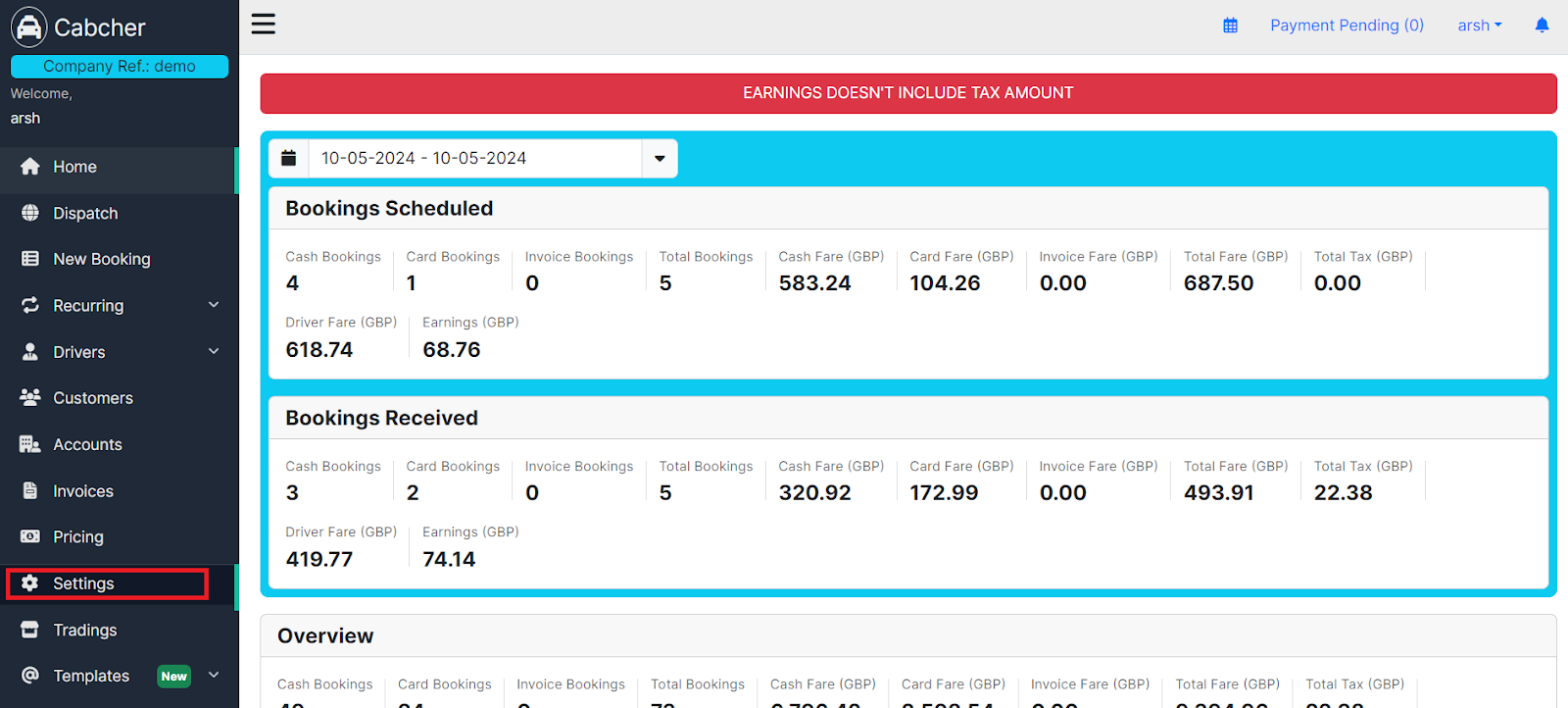
- Click on Settings from the dashboard.
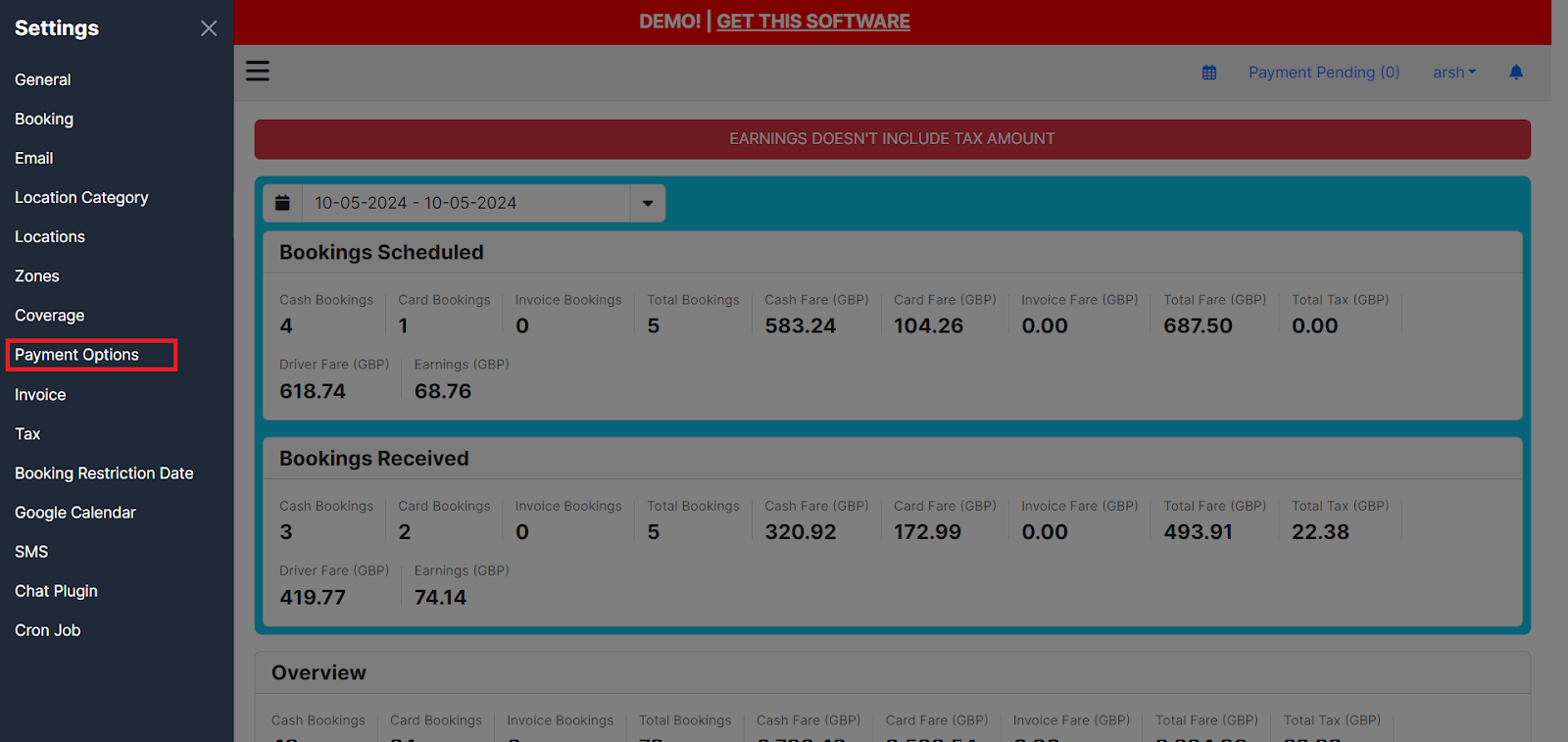
- Proceed to Payment Options.
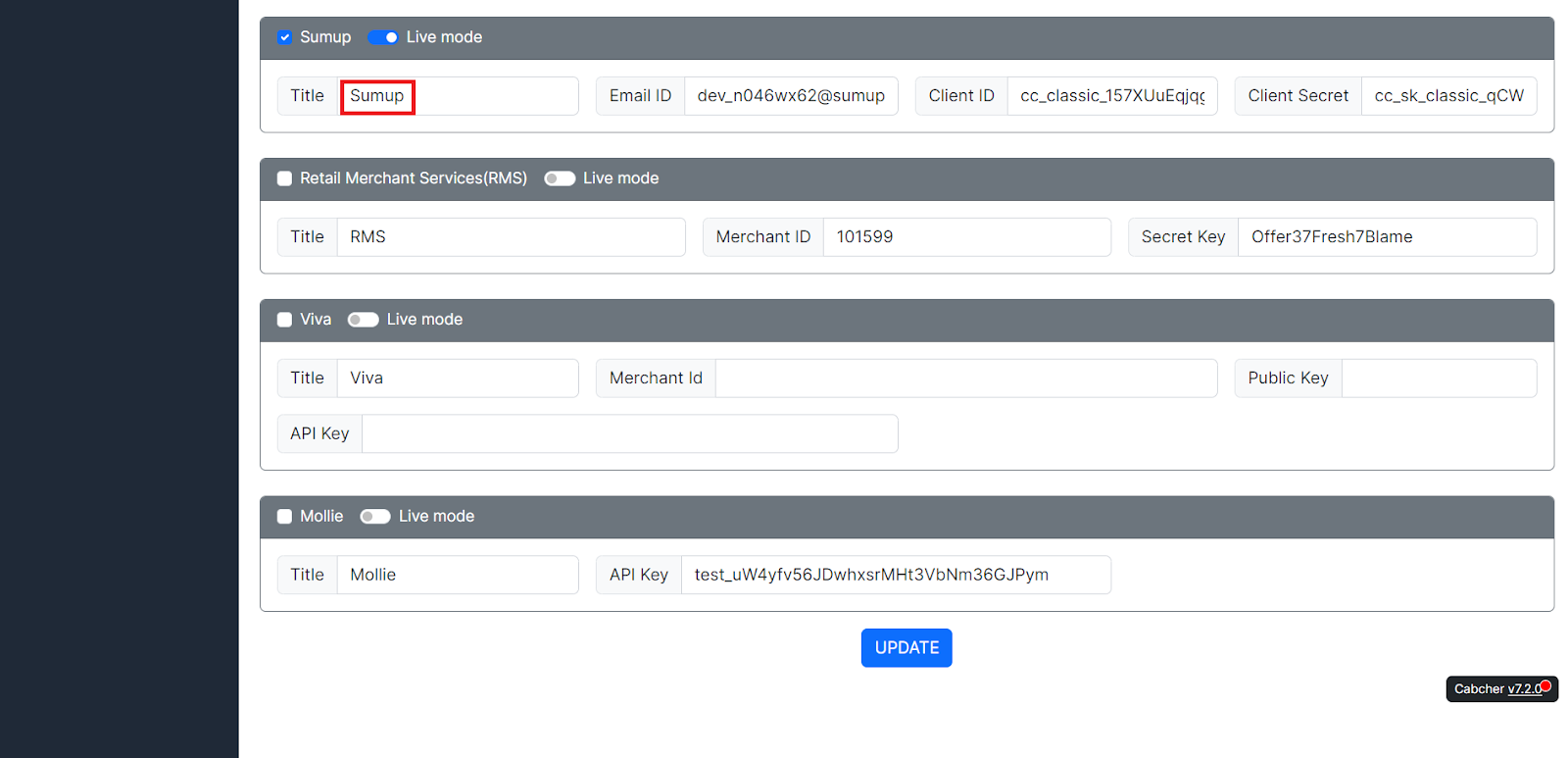
- Choose the Sumup payment method and provide the Sumup account details.
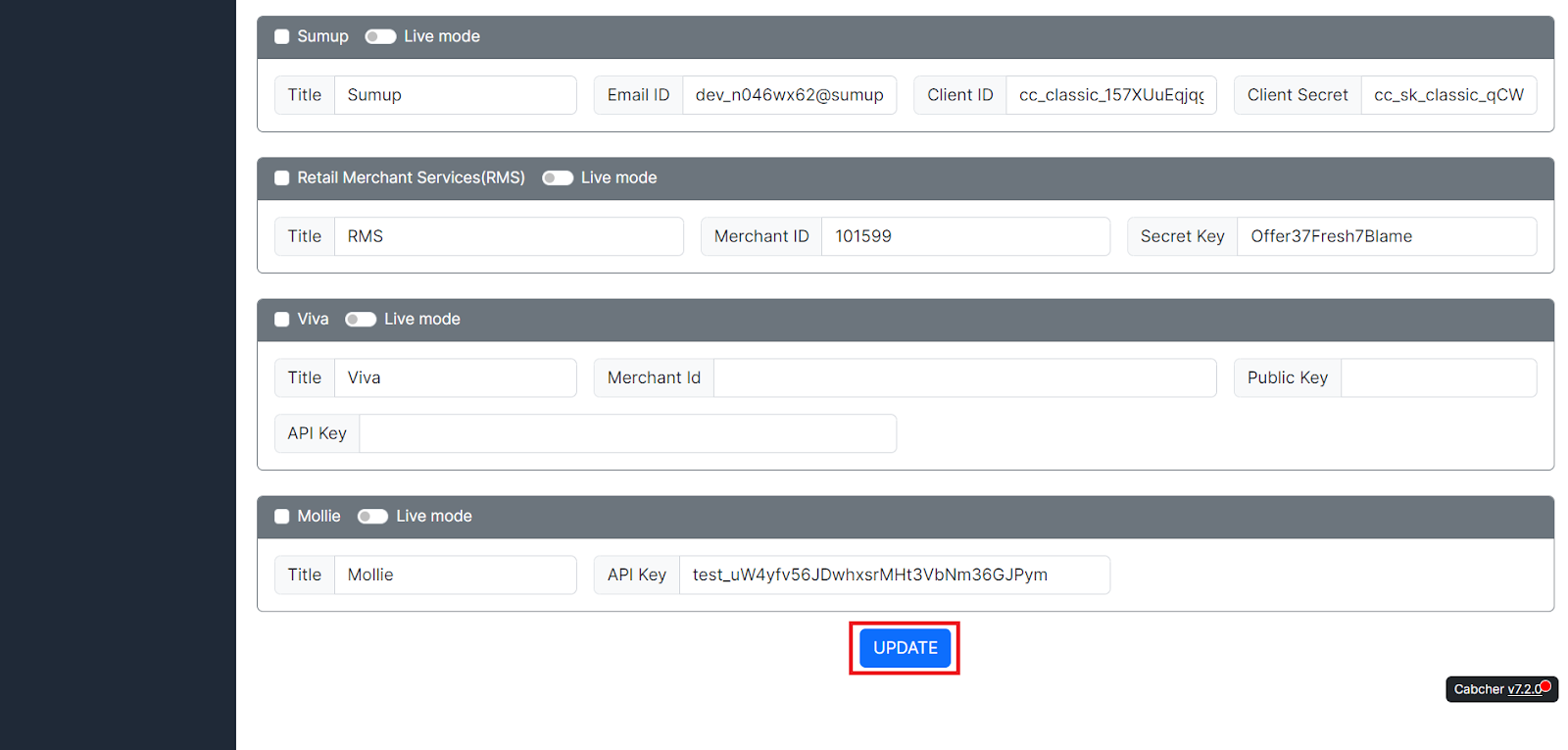
- Click UPDATE.
- Your SumUp merchant account has been successfully integrated with the Cabcher platform.
Related Questions:
1. What is SumUp, and how does it work with Cabcher dispatches?
2. How do I connect my SumUp account to Cabcher?
3. What types of businesses can use SumUp with Cabcher?
4. How do drivers accept payments through SumUp?
5. Are SumUp payments secure for Cabcher users?